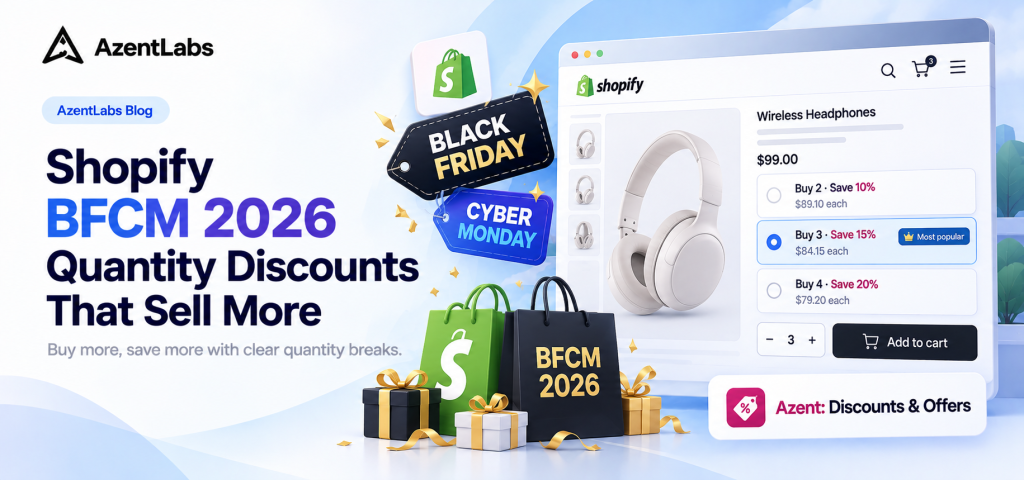
Quick answer: Shopify quantity discounts give shoppers a better price when they buy more. For BFCM 2026, use clear “Buy More, Save More” tiers to encourage larger carts. Azent: Discounts & Offers helps you create the tiers and display them on product pages.
Why use quantity discounts for BFCM?
Black Friday and Cyber Monday shoppers compare offers quickly. Clear quantity tiers show the benefit of adding one more item without making customers hunt for a deal. Keep the savings simple and make sure every tier works with your profit margins.
Example: Buy More, Save More tiers
| Quantity | Example offer | Shopper incentive |
|---|---|---|
| Buy 1 | Regular price | Starting point |
| Buy 2 | Save 10% | Add another item |
| Buy 3 | Save 15% | Reach the next tier |
| Buy 4+ | Save 20% | Buy in higher quantities |
Example percentages only. Set your tiers using product costs, fees, shipping costs, and target margins.
Create BFCM quantity discounts with Azent
Set up quantity-break offers, customize the product-page widget, and show customers how much they can save before they add to cart.
View Azent on the Shopify App Store →Free plan available for storewide Buy More, Save More offers. Product, variant, and collection targeting and scheduled offers are available on Standard.
How to set up Shopify quantity discounts with Azent
- Create an offer. Open Azent in Shopify admin and select Buy More, Save More.
- Choose your tiers and scope. Set the quantities and savings. Free supports all-products scope; Standard supports targeting individual products, variants, and collections.
- Publish and display it. Activate the offer and enable its quantity-discount block or app embed in Shopify’s Theme Editor.
- Preview and test. Check the product page on mobile and desktop, then verify prices in the cart and checkout.
Need more detail? See the Azent setup guide.
See the quantity-discount offer in action
This product-page example shows how shoppers can compare pricing tiers before adding to cart.

Watch the setup walkthrough
Before your BFCM offer goes live
Confirm the displayed savings match the discount at checkout. If you also run discount codes, BOGO, or free shipping, review Shopify’s discount-combination rules and test the full cart and checkout flow.
Shopify BFCM quantity-discount FAQs
Can I apply quantity discounts to specific products?
Yes, with a plan that supports targeting. Azent’s Free plan includes all-products offers, while Standard includes product, variant, and collection targeting as well as scheduling.
How do shoppers see quantity-discount tiers?
Enable the Azent block or app embed in your Shopify theme, then preview an eligible product page.
Can quantity discounts combine with other offers?
It depends on the discount types and combination settings. Check the applicable rules and test checkout before launch.
When are Black Friday and Cyber Monday in 2026?
Black Friday is November 27, 2026, and Cyber Monday is November 30, 2026.
Ready for BFCM 2026?
Create clear Buy More, Save More tiers with Azent and preview the offer before launch.
Create your offer with Azent →